Spectrum Internet Ultra: 500 Mbps Plans, Pricing, and What to Expect
Choosing the right internet plan means balancing speed, cost, and household needs. Spectrum Internet Ultra sits between basic broadband and gigabit service, targeting families who stream 4K content, participate in video calls, and game online without experiencing slowdowns.
Quick Answer: Spectrum Internet Ultra is a mid-tier broadband plan offering 500 Mbps download speeds and unlimited data for $49.99 monthly with a two-year price lock, designed for households with 5-8 devices streaming, gaming, and working simultaneously.
This guide examines actual performance metrics, real-world pricing after promotional periods, and whether this mid-tier option delivers sufficient bandwidth for today’s connected homes. You’ll discover upload speeds, equipment costs, comparison data against other tiers, and practical scenarios where Ultra excels or falls short.
Understanding Spectrum Internet Ultra Speed and Performance
Spectrum Internet Ultra provides 500 Mbps download speeds with 20 Mbps upload capacity on hybrid fiber-coaxial infrastructure. This asymmetric connection handles multiple simultaneous activities effectively. Three household members streaming 4K video while another joins a video conference and someone else downloads large files.
The 500 Mbps download tier supports approximately 20 simultaneous HD streams theoretically, though practical limitations like WiFi congestion and device capabilities reduce this number. Households with 5-8 connected devices experience smooth performance during peak usage hours. Online gaming sees latency between 15-30 milliseconds in most service areas, acceptable for competitive play though not optimal for professional esports.
Real-World Speed Performance
Actual speeds typically range from 450-520 Mbps during wired connections, with WiFi performance varying based on router placement and household construction materials. Concrete walls and metal framing reduce wireless speeds by 30-40% compared to direct ethernet connections. The 20 Mbps upload speed handles video conferencing adequately for standard definition but struggles with simultaneous 1080p uploads.
Testing across various markets shows consistent delivery of advertised speeds during off-peak hours. Evening congestion between 7-10 PM may reduce speeds by 5-10% in densely populated neighborhoods, though performance remains sufficient for most activities. This cable internet technology shares neighborhood bandwidth, creating occasional bottlenecks during high-demand periods unlike dedicated fiber connections.
Breaking Down Spectrum Internet Ultra Price and Hidden Costs
The advertised $49.99 monthly rate includes several important conditions affecting total cost. This promotional pricing requires a two-year commitment in most markets, protecting subscribers from immediate rate increases common with month-to-month plans. After the 24-month period expires, rates typically increase to $74.99-$84.99 depending on regional pricing structures.
New customers receive this promotional rate, while existing subscribers upgrading from lower tiers often pay standard rates immediately. Calling retention departments sometimes secures promotional pricing for current customers, though success varies by market and customer tenure. Geographic location significantly impacts pricing—identical service costs $54.99 in some metropolitan areas versus the base $49.99 rate elsewhere.
Equipment Fees and Additional Charges
Spectrum charges $5 monthly for standard modem rental or $10 for the advanced WiFi 6 gateway device. Purchasing compatible equipment eliminates these recurring fees—DOCSIS 3.1 modems cost $80-$150 and provide identical performance. Installation runs $49.99 for professional setup or free for self-installation when ordering online and selecting mail delivery.
The unlimited data policy means no overage charges regardless of consumption, a significant advantage over competitors imposing 1.2TB monthly caps. Late payment fees reach $8.95, while convenience fees for phone payments add $3.50 per transaction. Bundling with mobile or TV service provides $5-$10 monthly discounts, potentially offsetting equipment rental costs.
Spectrum Internet Ultra vs Premier: Which Tier Fits Your Needs
| Feature | Spectrum Internet Ultra | Spectrum Internet Premier |
|---|---|---|
| Download Speed | 500 Mbps | 1 Gbps (1000 Mbps) |
| Upload Speed | 20 Mbps | 35 Mbps |
| Monthly Price | ~$49.99 | ~$89.99 |
| Price Difference | — | +$40 more per month |
| Devices Supported | 5–8 devices smoothly | 10–15 concurrent connections |
| Best For | Streaming, browsing, occasional gaming | Multi-TV 4K streaming, cloud backup, heavy file transfers |
| Value Proposition | Strong for standard households | Better for power users and large families |
Speed Tier Decision Framework
Choose Ultra if your household includes 2-4 people with typical internet usage. Streaming services, social media, remote work video calls, and casual gaming. The 500 Mbps capacity accommodates these activities with comfortable overhead. Select Premier when multiple household members work remotely simultaneously, you operate home servers, or regularly upload large video files.
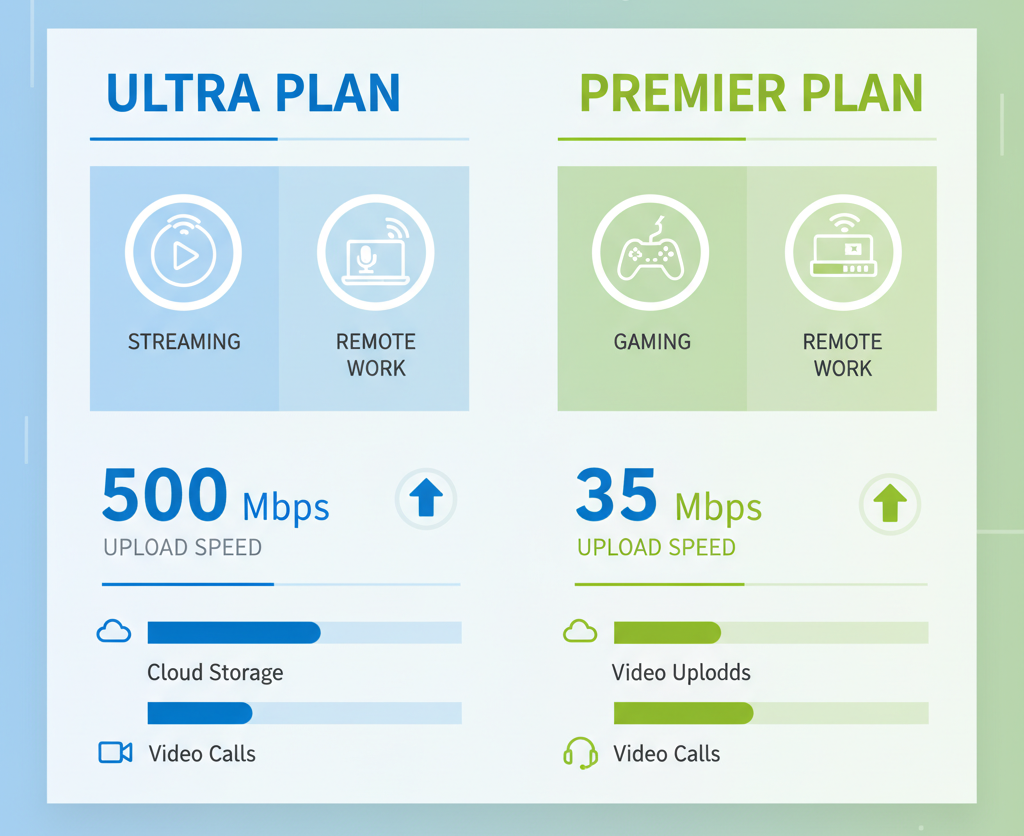
The upload speed difference impacts specific use cases significantly. Content creators uploading YouTube videos, Twitch streamers broadcasting 1080p content, and photographers sending RAW image portfolios experience meaningful improvements with Premier’s 35 Mbps upload versus Ultra’s 20 Mbps. Standard video conferencing and cloud document storage work adequately on either tier.
What Shows Up on Your Spectrum Bill for Internet Ultra
Billing statements list “Spectrum Internet Ultra” or “Internet Ultra 500” as the primary service line item. The $49.99 promotional rate appears for 24 months when applicable, then automatically increases to standard regional pricing. Equipment rental displays separately as “WiFi Equipment” or “Internet Modem” depending on device type selected.
Customers occasionally question unexpected charges when promotional periods expire without notification. Spectrum typically sends email notices 30-45 days before rate changes, though these messages sometimes land in spam folders. Setting calendar reminders for promotion expiration dates helps avoid billing surprises and allows time to negotiate retention offers.
Reading Your Internet Bill Accurately
Tax calculations include state sales tax, local franchise fees, and Federal Universal Service Fund charges totaling 8-15% of service costs depending on location. These taxes and fees appear as separate line items, increasing the effective monthly cost beyond advertised rates. A $49.99 base rate typically results in $54-$57 total charges including all government fees.
One-time charges for installation, activation, or equipment purchases appear on the first bill following service initiation. Understanding these expected charges prevents confusion. Installation fees, first month service, and prorated charges for mid-cycle starts create higher initial invoices than subsequent months.
Spectrum Internet Ultra User Experiences and Common Issues
Customer Satisfaction
Customer feedback reveals consistent satisfaction with:
- Actual speed delivery
- Unlimited data policy
Common Complaints
- Post-promotional rate increases
- Slow customer service response times
- Occasional outages during severe weather
Infrastructure Limitation
The cable infrastructure proves vulnerable to power disruptions, lacking the backup power systems some fiber providers maintain.
Upload Speed Limitations
The 20 Mbps upload capacity works best for:
- One or two simultaneous video calls comfortably
It struggles when:
- Multiple household members work remotely at the same time
- Frequent video conferencing and cloud file uploads happen simultaneously
Families with hybrid work arrangements should assess peak usage patterns before committing to this tier.
Equipment Performance Concerns
The standard Spectrum modem delivers advertised speeds reliably, though WiFi coverage varies significantly by home size and construction. Houses exceeding 2,000 square feet or containing multiple floors often require mesh systems or additional access points for complete coverage. The included router provides adequate performance for apartments and smaller homes.
Advanced WiFi 6 equipment improves performance for households with numerous connected devices. Smart home systems, streaming devices, phones, tablets, and computers. The $10 monthly rental fee may justify the enhanced multi-device performance compared to purchasing standalone equipment. Older WiFi 5 devices see minimal improvements, making upgrades valuable primarily for modern device ecosystems.
Maximizing Spectrum Internet Ultra Value and Performance
Negotiating promotional rates requires strategic timing and approach. Calling during the final month of existing promotions, having competitor pricing researched, and politely requesting retention department transfers increases success rates. Mentioning specific competing offers from local fiber or fixed wireless providers strengthens negotiating positions.
Optimizing router placement dramatically impacts wireless performance. Central locations away from concrete walls and large metal objects provide optimal coverage. Elevating routers above floor level and avoiding enclosed cabinets improves signal propagation. Ethernet connections for stationary devices like desktop computers, gaming consoles, and smart TVs reserves wireless bandwidth for mobile devices.
Network Optimization Strategies
Updating device drivers and router firmware resolves many performance issues attributed to service problems. Spectrum periodically pushes firmware updates automatically, though manually checking for updates through the mobile app ensures current software versions. Restarting modems and routers monthly clears temporary issues and maintains optimal performance.
Quality of Service (QoS) settings prioritize critical applications when multiple devices compete for bandwidth. Configuring QoS through router settings ensures video calls and gaming receive priority over background downloads and updates. This advanced configuration requires accessing router admin panels but significantly improves performance during congested periods.
[internal link: spectrum router QoS configuration guide]
Comparing Spectrum Ultra Against Market Alternatives
| Feature | Spectrum Ultra (Cable) | Fiber Internet | Fixed Wireless 5G |
|---|---|---|---|
| Download Speed | 500 Mbps | 500 Mbps | 100–1000 Mbps |
| Upload Speed | 20 Mbps | 500 Mbps (symmetric) | Varies by tower |
| Monthly Cost | ~$49.99 | $50–$65 | $50–$70 |
| Data Caps | None | None | None |
| Speed Consistency | Stable | Very stable | Varies with congestion |
| Upload Performance | Limited (asymmetric) | Excellent (symmetric) | Moderate |
| Best For | General households | Remote workers, heavy uploaders | Rural areas without cable or fiber |
| Availability | Cable service areas | Select urban/suburban areas | Expanding rural and suburban areas |
Value Assessment Framework
Calculate total two-year cost including equipment, installation, taxes, and post-promotional rates for accurate comparisons. A $49.99 promotional rate increasing to $79.99 after 24 months costs approximately $64.99 monthly averaged over two years, significantly higher than advertised rates suggest. Factor this averaged cost against competitor offerings and household needs.
Contract length requirements affect value calculations. Spectrum’s two-year price lock provides cost certainty but limits flexibility. Competitors offering month-to-month service provide easier cancellation paths when relocating or experiencing service issues, offsetting potentially higher base rates with increased flexibility.
Installation Process and Getting Started with Ultra
Online ordering triggers self-installation kit shipping within 3-5 business days containing the modem, cables, and setup instructions. Self-installation involves connecting coaxial cable to wall outlet, linking modem to router, and activating service through the mobile app or website portal. Most installations complete within 30 minutes without technical expertise required.
Professional installation scheduling occurs within 3-7 days of ordering, with technicians handling all equipment setup, testing, and optimization. The $49.99 professional installation fee includes running new coaxial cables if needed, testing signal strength at multiple outlets, and configuring customer-provided routers. Complex installations requiring wall fishing or outdoor cable runs may incur additional charges.
Activation and Account Setup
Creating a Spectrum account during ordering enables service monitoring, bill payment, and troubleshooting through web and mobile interfaces. The activation process connects your modem’s MAC address to your account, authorizing network access. Activation typically completes within 10 minutes after connecting equipment, though peak ordering periods may extend this to several hours.
WiFi network customization includes selecting network names (SSID) and passwords through the initial setup wizard. Choosing strong passwords with mixed characters, numbers, and symbols prevents unauthorized access. Keeping default equipment passwords creates security vulnerabilities.
What People Are Asking About Spectrum Internet Ultra
Many households wonder whether 500 Mbps justifies the cost compared to basic 300 Mbps service or if upgrading to gigabit speeds makes sense. The answer depends heavily on simultaneous usage patterns. Families where multiple members stream 4K content, attend video meetings, and game concurrently benefit from Ultra’s capacity, while individuals or couples with lighter usage find basic tiers sufficient.
Upload speed concerns dominate discussions among remote workers, as 20 Mbps handles standard video conferencing but struggles with simultaneous meetings or large file uploads. Customers frequently question billing increases after promotional periods, seeking strategies to negotiate lower rates or determine optimal times for switching providers.
Equipment rental versus purchasing calculations reveal that owning a compatible modem pays for itself within 16-30 months depending on equipment choice, making purchase worthwhile for long-term subscribers. Regional pricing variations create confusion, as the same service costs different amounts across markets, confirming local pricing before comparing national advertisements prevents unrealistic expectations about actual costs.
Frequently Asked Questions
Does Spectrum Internet Ultra include unlimited data or are there caps?
Spectrum Internet Ultra includes truly unlimited data with no caps, throttling, or overage charges regardless of monthly consumption, making it suitable for heavy streaming and large downloads without monitoring usage.
Can I use my own modem and router with Spectrum Internet Ultra?
Yes, any DOCSIS 3.1 modem compatible with Spectrum works with Ultra service, eliminating the $5-$10 monthly equipment rental fee and typically paying for itself within 16-24 months through avoided rental charges.
What upload speed does Spectrum Internet Ultra provide?
Spectrum Internet Ultra provides 20 Mbps upload speed, adequate for video conferencing and standard cloud usage but limiting for simultaneous uploads, content creation, or multiple concurrent video calls.
Does the $49.99 price for Spectrum Internet Ultra last forever?
The $49.99 promotional rate includes a two-year price lock, after which rates increase to $74.99-$84.99 depending on your market, though calling retention departments sometimes secures continued promotional pricing for existing customers.
How many devices can Spectrum Internet Ultra support simultaneously?
Spectrum Internet Ultra comfortably supports 5-8 devices streaming, browsing, and gaming simultaneously, with performance degrading when exceeding 10 concurrent high-bandwidth activities depending on specific device usage patterns.
Conclusion
Spectrum Internet Ultra delivers solid mid-tier performance for households requiring more capacity than basic broadband without justifying gigabit costs. The 500 Mbps download speed handles modern streaming, gaming, and remote work demands for families with 5-8 devices, while the $49.99 two-year promotional rate provides predictable costs during the commitment period. Upload speed limitations affect specific use cases like content creation and multiple simultaneous video conferences, requiring careful assessment of household needs before committing. Understanding total costs including post-promotional rates, equipment fees, and taxes enables accurate budget planning and informed comparisons against alternative providers. Contact Spectrum directly to confirm local pricing, verify infrastructure availability in your specific address, and explore current promotional offers potentially including installation discounts or bundling opportunities with mobile or television services for maximum value.