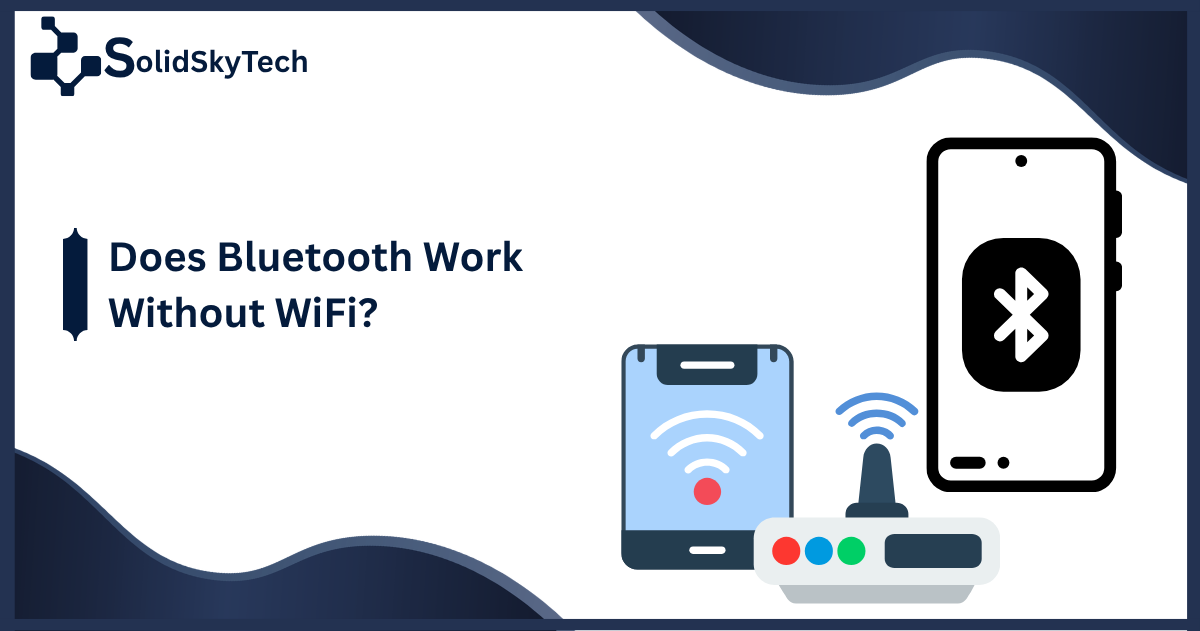
Does Bluetooth Work Without WiFi? A Clear Answer for Every Device and Situation
Bluetooth creates its own direct connection between devices without touching your internet router, your WiFi password, or your data plan. Understanding exactly how that works and the few moments when WiFi does play a supporting role is all covered in this guide.
Quick Answer: Bluetooth works entirely without WiFi. It uses radio waves to create a direct link between two devices within a short range of each other. No internet connection, no WiFi network, and no data plan is required for this link to function. The two technologies are separate and operate independently.
What Bluetooth Actually Is, and Why WiFi Has Nothing to Do With It
People often assume Bluetooth and WiFi are related because both involve wireless signals. That connection makes intuitive sense, but technically, the two have almost nothing in common beyond sharing the same frequency range.
WiFi is designed to connect your devices to a router, and through that router to the internet. Without a router, WiFi has no job to do.
Bluetooth is designed for something entirely different. A direct link is created between two devices that are physically close to each other. No router. No internet. No middleman of any kind. When your phone connects to a wireless speaker or a fitness tracker pairs with a smartwatch, those connections happen through Bluetooth without any involvement from your home network or an internet connection.
The technical structure that makes this work is called a piconet. Every Bluetooth connection forms a tiny private network between those specific devices. One device takes the role of master and manages the communication. The other device acts as a slave and responds according to the master’s timing. The exchange of data happens through radio signals that hop rapidly across 79 different frequency channels within the 2.4 GHz band, jumping 1,600 times per second. This hopping pattern is the reason Bluetooth maintains stable connections even in environments crowded with other wireless signals.
None of this requires an internet connection. The signal goes directly from one device to the other through the air.
How Bluetooth Works on iPhone Without WiFi
On an iPhone, Bluetooth operates as a fully independent feature. Turning off WiFi has no effect on whether your Bluetooth headphones play audio, whether a keyboard stays connected, or whether your Apple Watch continues syncing health data.
Certain Apple features combine Bluetooth with WiFi for added capability. AirDrop uses Bluetooth to discover nearby devices and then switches to a peer-to-peer WiFi connection to complete the actual file transfer quickly. If WiFi is off, AirDrop may still attempt the transfer using Bluetooth alone, though the speed will be slower. The key point is that this represents AirDrop choosing to use both technologies together for efficiency, not Bluetooth requiring WiFi to function.
For standard tasks on iPhone, using a Bluetooth keyboard, or syncing with peripheral health devices, WiFi plays no role at all. The connections work the same whether WiFi is on, off, connected to a strong network, or connected to nothing.
A common source of confusion for iPhone users is the Control Centre. When you swipe down and tap the WiFi icon, it does not fully disable WiFi. It disconnects from your current network but leaves the WiFi hardware active for certain system functions. This does not affect Bluetooth in either direction.
Does Bluetooth Work in Airplane Mode?
Yes, but with a small step required. When you activate airplane mode on a smartphone or tablet, the device turns off all wireless transmissions by default. That includes Bluetooth along with cellular and WiFi. Airlines introduced this requirement because wireless signals from personal devices were a concern for aircraft communication systems during the early years of consumer electronics on flights.
Modern airline policies have largely adapted to recognise that Bluetooth poses no meaningful risk to aircraft systems. Most carriers now explicitly permit Bluetooth headphones and accessories during all phases of flight, including takeoff and landing. The restriction on cellular transmissions remains, but Bluetooth is treated differently.
To use Bluetooth in airplane mode, the process is simple. Enable airplane mode first to disable cellular and WiFi. Then go into your Bluetooth settings and manually turn Bluetooth back on. Your device will remember that you switched Bluetooth on within airplane mode and may continue doing so automatically on future flights.
Once Bluetooth is re-enabled in airplane mode, everything works exactly as it would on the ground. Audio streams to headphones without interruption. Keyboards respond to keystrokes. The only difference is that your device is not connecting to any cellular network or internet service while this is happening.
Do Bluetooth Speakers Need WiFi?
Standard Bluetooth speakers require no WiFi connection to function. The audio signal travels directly from your phone, tablet, or laptop to the speaker using a Bluetooth connection. No router is involved. No internet access is needed. You could use a Bluetooth speaker in a field with no internet service for miles and it would work exactly as it does in your living room.
The situation changes only when a speaker is marketed as a smart speaker or a WiFi speaker. A smart speaker like a Google Nest Audio or an Amazon Echo uses WiFi to access streaming services, receive voice commands that require internet processing, and participate in multi-room audio setups across your home network. These WiFi-dependent features do not apply to a standard Bluetooth speaker.
If you pick up a portable Bluetooth speaker and connect it to your phone via Bluetooth, you are using a direct radio link that has nothing to do with your home network or any internet connection. The WiFi in your home is completely uninvolved.
Does Bluetooth Interfere With WiFi?
This is one of the more technically nuanced aspects of the relationship between these two technologies, and it deserves an honest answer.
Both Bluetooth and WiFi operate within the 2.4 GHz frequency band. This is the same portion of the radio spectrum, and in a home or office with multiple devices using both technologies simultaneously, there is genuine potential for interference. The signals can compete with each other for bandwidth within that shared frequency range.
In practice, the impact of this interference is usually minor. Bluetooth uses a technique called Adaptive Frequency Hopping, which allows the Bluetooth connection to detect which channels within the 2.4 GHz band are already busy and automatically route around them. Modern devices implement hardware-level coordination between their Bluetooth and WiFi chips that further reduces the likelihood of meaningful conflict.
There are situations where interference becomes noticeable. If you are on a weak WiFi connection while running multiple active Bluetooth devices simultaneously, and particularly in an environment with many competing wireless signals, you may experience occasional WiFi slowdowns or brief audio stuttering through Bluetooth headphones. Moving closer to your router often resolves this because a stronger WiFi signal is more resilient to the level of interference Bluetooth introduces.
For most users in most environments, running Bluetooth and WiFi simultaneously causes no perceptible problems. Both technologies have been designed with this coexistence scenario in mind.
When WiFi and Bluetooth Do Work Together
While Bluetooth operates independently of WiFi, there are specific scenarios where the two technologies are intentionally combined to achieve something neither could do as effectively on its own.
AirDrop on Apple devices is one example already mentioned. Bluetooth handles the discovery of nearby devices. WiFi handles the high-speed data transfer between them. This hybrid approach makes sharing large files fast while keeping the process simple for the user.
Some smart home devices use a combination of Bluetooth and WiFi in a similar way. A Bluetooth Low Energy sensor might send small data packets to a smart home hub. That hub then forwards the information over WiFi to a cloud service or to an app on your phone. The Bluetooth portion of this exchange requires no WiFi at all. The WiFi portion is happening separately between the hub and your router.
Certain wireless audio ecosystems designed for high-quality multi-room listening, like Sonos, use WiFi as their primary connection method because WiFi carries more bandwidth than Bluetooth and allows synchronised playback across many rooms. These are not standard Bluetooth speakers but a different category of product where the WiFi requirement is intentional.
Understanding these distinctions helps you identify what a specific device actually needs. Most devices labelled Bluetooth require only Bluetooth. Devices that require WiFi will usually say so clearly.
FAQ
Does Bluetooth work without WiFi?
Yes. Bluetooth creates a direct radio link between devices and does not use WiFi or any internet connection to operate. The two technologies are completely independent of each other.
Does Bluetooth work without WiFi on iPhone?
Yes. Pairing headphones, connecting to car audio, using wireless keyboards, and syncing with health accessories all work on iPhone with WiFi completely disabled. Apple-specific features like AirDrop use both Bluetooth and WiFi together for faster transfers, but standard Bluetooth tasks have no WiFi requirement.
Whether they need to pay for a data plan to use Bluetooth?
No. Bluetooth is entirely free to use from a data perspective. It uses no cellular data and no WiFi data. The signal is self-contained between the two devices.
On airplane mode specifically, many users report that they use this combination regularly without any issues. Enable airplane mode, manually re-enable Bluetooth, and wireless accessories function normally throughout a flight.
Does Bluetooth work in airplane mode?
Bluetooth is disabled when you first activate airplane mode, but you can manually re-enable it through Bluetooth settings. Once switched back on, it works normally throughout a flight. Most modern airlines permit Bluetooth device use at all stages of flight.
Whether Bluetooth range changes when WiFi is off?
The answer is no. Bluetooth range is determined by the power class of the Bluetooth chip in your devices, not by whether WiFi is active. Consumer devices typically reach 10 metres for standard Bluetooth and up to 240 metres for Bluetooth 5.0 connections on a clear line of sight.
Does Bluetooth work on airplane mode for headphones?
Yes. After manually enabling Bluetooth within airplane mode, wireless headphones pair and stream audio exactly as they would on the ground. Many travellers use this combination routinely on long flights.
Do you need WiFi for a Bluetooth speaker?
No. A standard Bluetooth speaker receives its audio signal through a direct Bluetooth connection from your phone or device. No router, no internet, and no WiFi network is involved. Smart speakers that also support Bluetooth are a different category and require WiFi for their smart features, but that is not a Bluetooth requirement.
Does Bluetooth use WiFi?
Bluetooth does not use WiFi. Both technologies use radio signals and both operate within the 2.4 GHz frequency range, but they use that spectrum in different ways and function as completely separate wireless systems.
Does Bluetooth interfere with WiFi?
Minor interference is possible because both technologies share the 2.4 GHz frequency band. Bluetooth uses Adaptive Frequency Hopping to avoid channels already occupied by WiFi traffic, and modern devices coordinate their chips at the hardware level to minimise conflict. Noticeable interference is uncommon but can occur in environments dense with competing wireless signals.
How does Bluetooth work without WiFi?
Bluetooth creates a small private network called a piconet directly between paired devices. Radio signals carry data between them using a frequency-hopping pattern that rapidly moves across dozens of channels to maintain a stable connection. No internet service, no router, and no external network infrastructure is required.
Can I use Bluetooth during an internet outage?
Yes. Because Bluetooth never relied on your internet connection to begin with, a router failure or internet outage has no effect on any Bluetooth connections. Audio devices, accessories, and peripherals continue working normally throughout any internet disruption.
Does turning off WiFi improve Bluetooth performance?
Occasionally, in environments with very heavy WiFi traffic and many competing devices, reducing WiFi activity can slightly reduce potential interference in the shared 2.4 GHz band. In typical home or office environments this difference is not perceptible. Bluetooth’s built-in frequency hopping handles most interference scenarios without any manual adjustment.