What Does an Ethernet Cable Look Like? A Complete Visual Guide (2026)
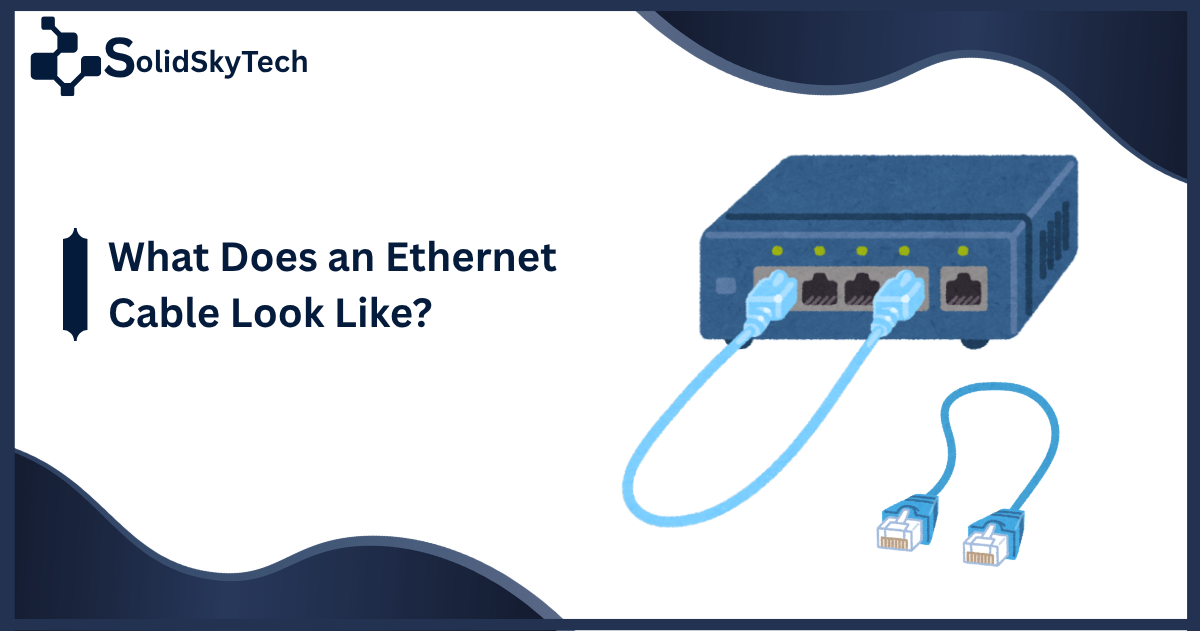
An ethernet cable is a flexible, cylindrical cable — typically 3 to 100 feet long — with a rectangular plastic plug on each end called an RJ45 connector. It resembles a thicker version of an old telephone cord, usually colored gray, blue, yellow, or black, with 8 thin copper wires visible through the transparent connector head.
Direct Answer
An ethernet cable looks like a slightly chunky phone cord. The cable body is a round, flexible jacket made of PVC or braided nylon, roughly 5–8mm in diameter. At each end sits an RJ45 connector — a clear plastic tab-locking plug about 11.5mm wide, housing 8 gold-plated pins arranged in a row. Press the plastic locking tab and it clicks into any ethernet port on a router, laptop, or wall jack. That click-and-lock design is one of its most recognizable features.
The Anatomy of an Ethernet Cable: Every Part Explained
Understanding what you’re looking at requires knowing the cable’s individual components. Here’s a breakdown based on the IEEE 802.3 standard and hands-on inspection of modern Cat5e through Cat8 cables:
The Outer Jacket
The outermost layer is a cylindrical sheath, almost always color-coded by the manufacturer. Common jacket colors include:
- Gray or white — general-purpose patch cables
- Blue — often used in office environments for workstation connections
- Yellow — frequently marks PoE (Power over Ethernet) or outdoor-rated cables
- Black or red — crossover cables or server/uplink connections in data centers
- Green — sometimes used for gigabit ethernet in structured cabling
The jacket material is typically PVC (polyvinyl chloride) for indoor use or LSZH (low-smoke zero-halogen) in commercial or plenum-rated installations.
The Internal Wire Pairs
Slice open any standard ethernet cable and you’ll find 4 twisted pairs 8 individual copper wires total, each wrapped in color-coded insulation:
| Pair | Wire Colors |
|---|---|
| Pair 1 | Blue / White-Blue |
| Pair 2 | Orange / White-Orange |
| Pair 3 | Green / White-Green |
| Pair 4 | Brown / White-Brown |
The twisting isn’t decorative — it’s engineered to cancel out electromagnetic interference (EMI) between adjacent pairs. Higher-category cables twist more tightly per inch (more twists per meter = less crosstalk).
The RJ45 Connector
The connector is the most visually distinctive part of what does an ethernet cable look like. It’s a transparent, clip-style plug made of clear or tinted plastic. Key features:
- 8 copper pins aligned in a single row, gold-plated for conductivity
- A flexible locking tab on the bottom that clicks into place and releases with a press
- Dimensions roughly 11.5mm wide × 6mm tall
- Some cables include a strain relief boot — a flexible rubber or plastic sleeve where the cable enters the connector — to prevent wire fatigue from bending
Ethernet Cable Types: What Each Category Looks Like
Not all ethernet cables look — or perform — the same. The differences are subtle but meaningful, especially if you’re identifying a cable by sight.
Cat5e vs. Cat6 vs. Cat6a vs. Cat8 — Visual Comparison Table
| Category | Jacket Diameter | Max Speed | Shielding | Distinguishing Feature |
|---|---|---|---|---|
| Cat5e | ~5mm | 1 Gbps | Unshielded (UTP) | Thinnest, most flexible, most common legacy cable |
| Cat6 | ~6mm | 10 Gbps (short runs) | UTP or STP | Has an internal plastic spline (separator) between wire pairs |
| Cat6a | ~8mm | 10 Gbps (100m) | Often shielded (F/UTP) | Noticeably thicker and stiffer; bulkier RJ45 boot |
| Cat7 | ~8–9mm | 10 Gbps | Fully shielded (S/FTP) | Individual foil-wrapped pairs; proprietary GG45 connector in some versions |
| Cat8 | ~9mm | 25–40 Gbps | Shielded (S/FTP) | Stiffest, thickest consumer cable; often has a metal-bodied RJ45 |
Pro tip from experience: If you find an old cable in a wall and can’t read the jacket print, Cat5e is almost always flexible and thin. Cat6a is noticeably rigid — it resists bending around corners, which is useful when you’re pulling it through conduit but frustrating behind a desk.
Shielded vs. Unshielded Cables
UTP (Unshielded Twisted Pair) cables — like most Cat5e and Cat6 — have no metallic foil layer inside. The jacket goes directly around the twisted pairs. They’re lighter and more flexible.
STP/FTP (Shielded Twisted Pair / Foiled Twisted Pair) cables have a visible metallic foil or braid under the jacket when you strip it back. Cat6a, Cat7, and Cat8 often use this design. The RJ45 connectors on shielded cables sometimes have a metal housing rather than clear plastic — a quick visual identifier.
Flat Ethernet Cables: The Slim Alternative
A growing category worth covering: flat ethernet cables. Instead of a round jacket, these have a ribbon-like profile roughly 2–3mm thick and 6–8mm wide. They’re popular for running cables under carpets, along baseboards, or through door frames without creating a visible bump.
Flat cables still use standard RJ45 connectors at each end. The internal wires run parallel rather than twisted, which can introduce more crosstalk — so flat cables are best for shorter runs (under 30 feet) where signal integrity is less critical. [INTERNAL LINK: Best flat ethernet cables for under-carpet use]
How to Identify an Ethernet Cable by Its Markings
Every ethernet cable manufactured for the US market is printed on the jacket with useful identification data. Look for:
- Category rating: “Cat5e”, “Cat6”, “Cat6A”, or “CAT8” stamped in repeating text along the length
- UL listing: “UL CMR” (riser-rated) or “UL CMP” (plenum-rated) indicates fire safety compliance per NEC standards
- AWG gauge: Typically “24 AWG” (Cat5e/6) or “22 AWG” (Cat8)
- Conductor type: “Solid” (for in-wall runs) or “Stranded” (for patch cables that flex frequently)
- TIA/EIA standard: References like “TIA-568-C.2” confirm compliance with American cabling standards
If the cable has no printing at all, treat it as low-quality or counterfeit a real concern in 2026 given the proliferation of unmarked cables sold online.
Ethernet Cable vs. Other Common Cables: Side-by-Side
This is a question that trips up non-technical users, so let’s address it directly.
| Cable Type | Connector Shape | Diameter | Color Coding | Key Difference |
|---|---|---|---|---|
| Ethernet (RJ45) | Rectangular, 8-pin | ~5–9mm | Varies | Wider connector than phone cables; 8 pins visible |
| Phone (RJ11) | Rectangular, 4-pin | ~3–4mm | Usually gray/black | Narrower and thinner; only 4 pins |
| USB-C | Oval | ~3mm | Black, gray, white | Oval plug, not rectangular |
| HDMI | Trapezoidal | ~7mm flat | Black | Different shaped plug; used for video |
| Coaxial (RG6) | Round screw-on | ~8mm | Black or white | Single center pin; screws onto port |
The RJ11 vs. RJ45 confusion is the most common. Put them side by side and the RJ45 connector is clearly wider. RJ11 (phone cable) physically fits into an RJ45 port but won’t lock properly — a useful field test.
Where You’ll Physically See Ethernet Cables
From hands-on experience across home, office, and data center environments:
- Home routers and modems: Short (1–3 ft) patch cables connecting the modem to the router, usually yellow or black
- Wall jacks: Keystone jacks in wall plates accept the RJ45 end the wall plate itself has a small rectangular port identical in size to the one on your laptop
- Server racks and data centers: Dense bundles of ethernet cables, often in color-coded “rainbow” arrangements for port identification, managed with Velcro ties
- Patch panels: 1U or 2U rack-mounted panels with rows of RJ45 ports the back side uses punchdown termination rather than connectors
FAQ: What Does an Ethernet Cable Look Like?
What color is a standard ethernet cable?
There is no single standard color. Cat5e and Cat6 patch cables come in gray, blue, yellow, black, green, red, and white. Blue is commonly used in office networks, yellow for PoE or outdoor cables, and gray as a default. The color carries no electrical significance — it’s used for cable management and visual organization.
How many pins does an ethernet cable have?
An ethernet cable uses an RJ45 connector with 8 pins (sometimes called positions and contacts, or 8P8C). The pins are gold-plated copper and visible through the transparent front of the connector in a single row of 8.
Is an ethernet cable the same as a LAN cable?
Yes. “LAN cable,” “network cable,” “patch cable,” and “ethernet cable” all refer to the same type of cable with an RJ45 connector. “LAN cable” is a regional term more common in Asia and some European markets; in the US, “ethernet cable” or “patch cable” is standard.
How can I tell if a cable is Cat5e or Cat6 without reading the label?
By feel: Cat6 is slightly stiffer and thicker than Cat5e. By internal structure: Cut it open — Cat6 has an internal plastic spline (a cross-shaped or flat separator) between the wire pairs; Cat5e typically does not. By jacket print: Both should have the category stamped repeatedly along the jacket.
What does a damaged ethernet cable look like?
Signs of damage include: visible kinks or sharp bends in the cable body (especially near connectors), frayed or cracked jacket material, a broken locking tab on the RJ45 connector (the cable will still connect but won’t stay locked), corrosion on the gold pins (green or dark discoloration), or flattened cable from being run under furniture. A cable with a broken locking tab is still usable with a tab-less keystone tool but is prone to accidental disconnection.
Can I use a phone cable instead of an ethernet cable?
No. A phone cable uses an RJ11 connector with 4 pins and lacks the bandwidth capacity for ethernet networking. While RJ11 can physically insert into an RJ45 port (it’s narrower but will fit loosely), it will not establish a network connection. [INTERNAL LINK: RJ11 vs RJ45 full comparison.